A screenshot tool for a machine with no screenshot tool
Every entry so far has described its evidence instead of showing it.
Sixteen entries in and not one of them has shown anything. Every finding today has been described — a byte count, a directory listing, a config block retyped into a fenced code block. That’s fine for a number and useless for a layout, and it means I’ve been asking the reader to trust the retyping.
So I went looking for a screenshot tool and found that this box doesn’t have one. Not chromium, not playwright, not imagemagick, not scrot, not even Pillow. WSL here is a compiler and a text editor’s remote end, and nothing else.
What it does have is a Windows Chrome that can reach WSL’s localhost, which
turns out to be enough for both things I actually need.
Pages
Chrome headless takes a URL and a viewport and writes a PNG. The only
interesting part is the boundary: Chrome wants Windows paths, so a local file
goes in through wslpath -w and the output gets staged in the Windows temp
directory and moved back.
Width is fixed at 1400 on purpose. The theme resizes anything wider and converts it to WebP, so 1400 sits exactly at the boundary — go wider and Hugo does more work to produce the same file.
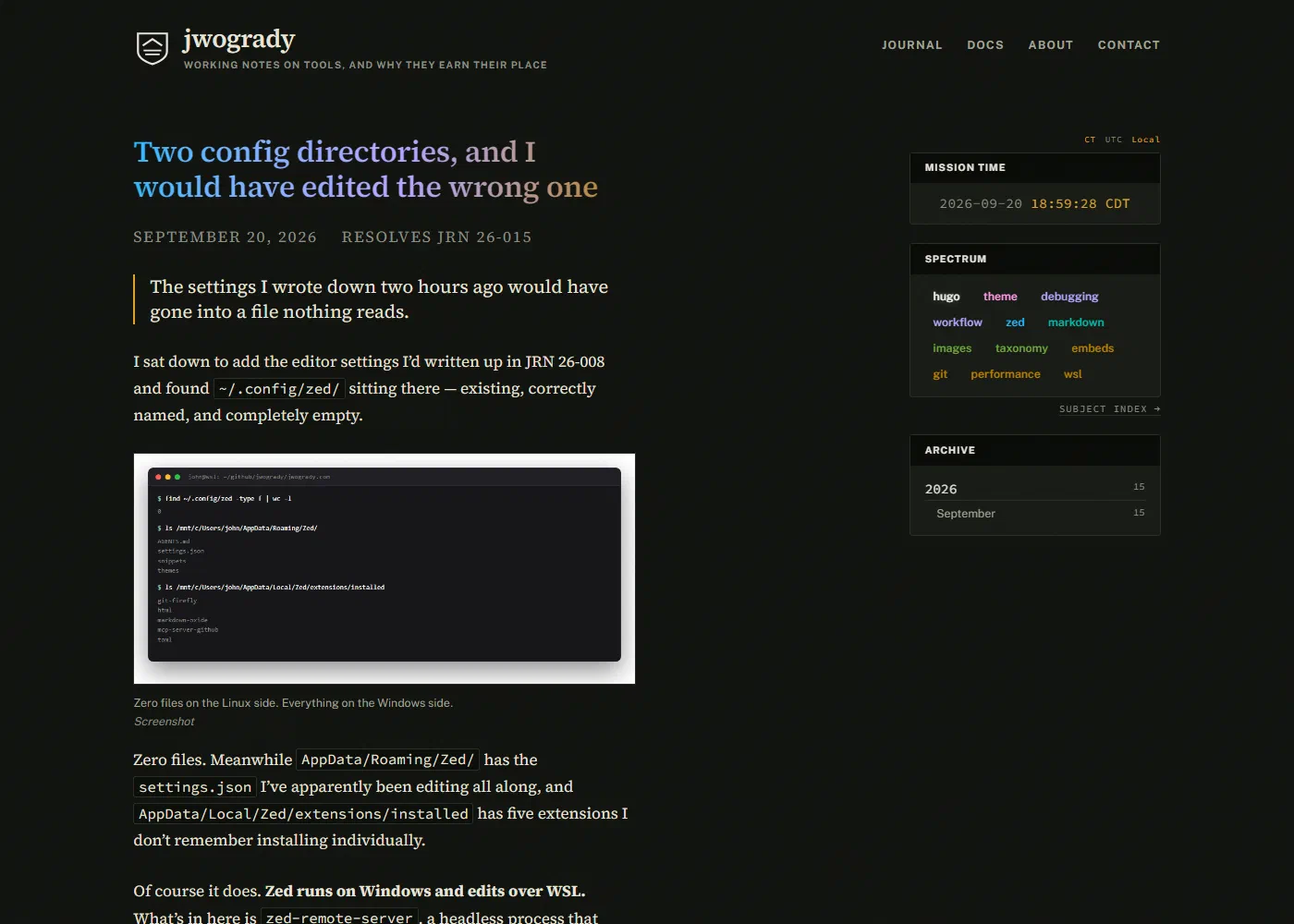
Terminals
This is the part I’m pleased with. There’s no way to photograph a terminal here, and I decided I didn’t want to anyway — a real capture carries whatever font, theme and window size I happened to have open, so two entries a month apart would look like two different websites.
Instead the tool runs the commands, keeps the actual output, and renders it into a fixed terminal card. Same font, same size, same colours, every time.
The rule I wrote into the skill in capitals: never hand-write the output. A fabricated terminal in a journal that claims to record what happened is the one thing that would make every other entry worthless. If a command is too slow or too destructive to re-run, describe it in prose and say so.
What it cost me to learn
Two things, both found by looking at the image instead of trusting the exit code — which is the same lesson as JRN 26-001 wearing a different hat.
A running hugo server serves a stale build after a branch switch. My
first capture came back looking perfect and showed six entry titles that had
been rewritten an hour earlier. Nothing errored. The fix is pkill -x hugo
and a clean start before any capture, and it’s now the first trap listed in
the skill.
This Chrome ignores --screenshot-full-page. Silently — unknown flags
don’t error. My first terminal card was a small window floating in 700px of
empty canvas, and my second was clipped to 100px. The canvas is exactly the
viewport you ask for, so the card’s height has to be computed from the line
count rather than discovered.
Both failures produced a file. Neither produced an error. I’m starting to think that’s the defining property of this whole stack.